Smart displays have become an essential part of many homes, and Amazon’s Echo Show lineup is one of the most popular choices. Whether you have the Amazon Echo Show 5 or the Amazon Echo Show 15, these devices can do far more than just display the weather or play your favorite songs. With a few smart tweaks and features, you can turn your Echo Show into a powerful assistant that simplifies daily life, keeps you entertained, and connects your smart home.
This guide will walk you through the best tips to get the most out of your Echo Show device — from customizing the display to managing smart home controls effectively.
1. Personalize Your Home Screen
Your Echo Show’s screen is the first thing you see, so why not make it both useful and beautiful?
Set Up a Photo Display
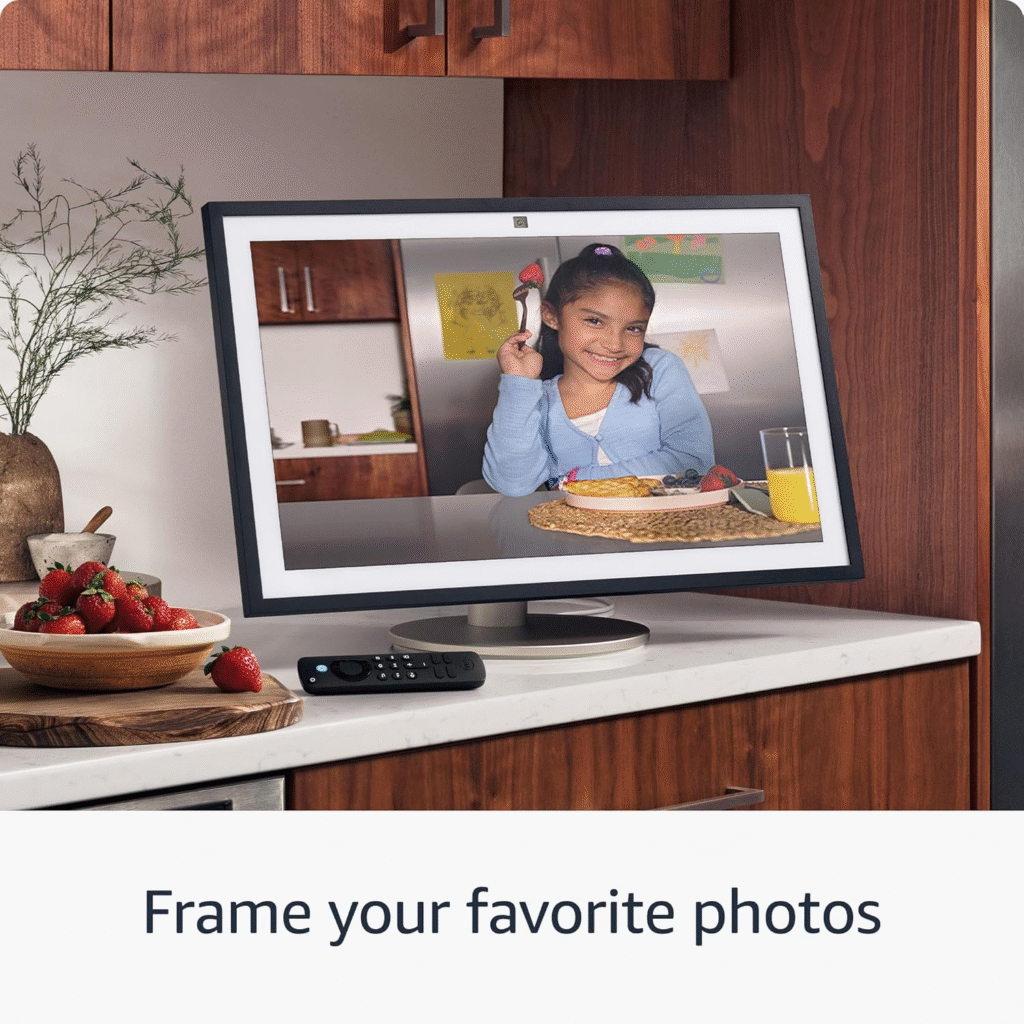
You can turn your Echo Show 5 or Echo Show 15 into a digital photo frame. Just connect your Amazon Photos or Facebook account and choose your favorite albums. The larger screen of the Echo Show 15 makes this feature especially impressive, turning it into a wall-mounted family memory board.
Add Widgets and Useful Cards
Widgets allow you to access quick information at a glance — like your calendar, reminders, or weather updates. On the Echo Show 15, you can add multiple widgets thanks to its big display, while the Echo Show 5 is perfect for keeping essentials small and focused, like the time or alarm.
2. Master Alexa Routines
Alexa routines are powerful time-savers that let your Echo Show perform multiple actions with a single voice command.
Example Routines to Try
- “Good Morning” Routine: Have Alexa turn on the lights, read your daily briefing, and display the weather forecast.
- “Good Night” Routine: Dim the lights, lock the door, and play soothing music or nature sounds before you sleep.
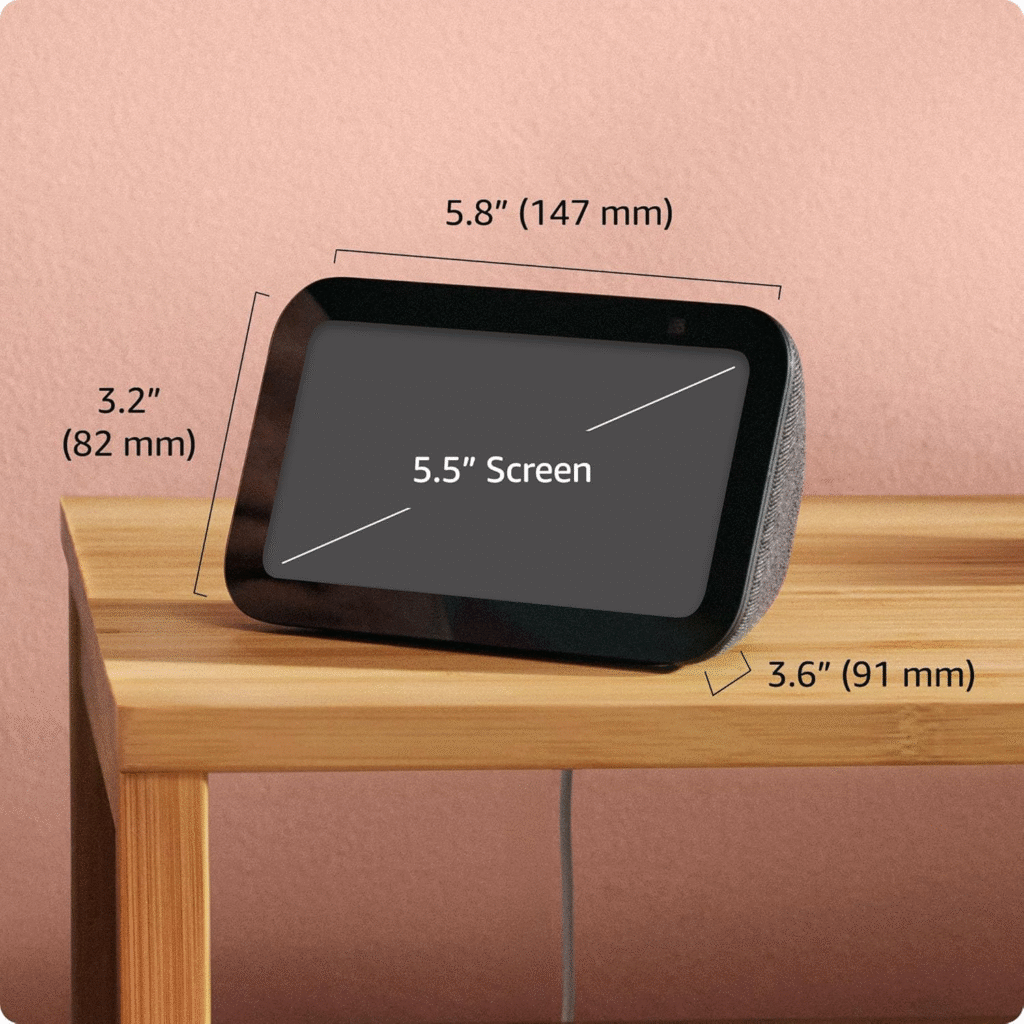
You can easily create or customize routines using the Alexa app. The Echo Show 5, often used in bedrooms or smaller spaces, is ideal for morning and bedtime routines. The Echo Show 15, placed in kitchens or living areas, can handle routines that help your whole family stay on track.
3. Control Your Smart Home Effortlessly
One of the Echo Show’s biggest advantages is its seamless integration with smart home devices.
Centralized Smart Home Dashboard
Your Echo Show 15 can serve as a full home control center. With a large screen, you can view and adjust smart lights, thermostats, doorbells, and cameras all from one place. The visual interface makes it easy to see which devices are on or off at any time.
Meanwhile, the Echo Show 5 works perfectly as a bedside smart home hub, letting you control lights or check camera feeds with quick voice commands like, “Alexa, show me the front door.”
4. Enhance Your Video Calling Experience
Video calls are one of the Echo Show’s most loved features. Both models include cameras that make staying connected easier than ever.
Drop In and Video Chats
Use Alexa’s Drop In feature to instantly connect with family members in different rooms or even in another house. For instance, you can Drop In from the Echo Show 15 in the kitchen to the Echo Show 5 in your child’s room to say dinner is ready — no shouting required!
You can also make video calls through Skype, Zoom, or Alexa-to-Alexa calls, ensuring you stay in touch hands-free.
5. Get Organized with Family Tools
The Echo Show 15 shines as a household organizer. It’s designed for family coordination, making it easy to keep everyone on schedule.
Shared Calendars and Sticky Notes
Display a shared calendar where everyone can see upcoming events or appointments. You can also add digital sticky notes or reminders directly on the home screen.
If you’re using the Echo Show 5 in your personal space, you can sync it with your Google or Outlook calendar so you never miss a meeting or reminder.
6. Watch, Listen, and Enjoy
Your Echo Show is also an entertainment hub.
Stream Your Favorite Content
Watch shows from Prime Video, Netflix, or YouTube directly on your device. The Echo Show 15’s full HD display provides a bigger and more immersive experience — perfect for kitchens or living rooms. The Echo Show 5, though smaller, is ideal for bedside viewing or quick recipe videos while cooking.
Music and Podcasts
Stream music from Amazon Music, Spotify, or Apple Music, or listen to podcasts while you work or cook. You can even link multiple Echo devices for multi-room audio, filling your home with synchronized sound.
7. Use Voice Commands Like a Pro
Alexa’s voice capabilities go beyond simple questions. The more you talk to Alexa, the smarter it becomes.
Helpful Commands to Try
- “Alexa, what’s on my calendar today?”
- “Alexa, show me trending recipes.”
- “Alexa, play relaxing jazz music.”
- “Alexa, show me the front camera.”
You can even control third-party apps and services with Alexa Skills. There are thousands of skills to choose from, such as fitness coaching, trivia games, or guided meditation sessions.
8. Strengthen Privacy and Security
Your Echo Show gives you full control over your privacy.
Manage Camera and Mic
Both the Echo Show 5 and Echo Show 15 come with a mic/camera off button and a built-in shutter for the camera. You can also delete your voice recordings by saying, “Alexa, delete what I just said.”
Additionally, you can manage privacy settings in the Alexa app, ensuring your data stays secure.
9. Discover Hidden Features
There are plenty of lesser-known tricks that can make your Echo Show even more fun and useful.
Try These:
- Live View from Smart Cameras: See what’s happening outside your home at any time.
- Cooking Assistance: Get step-by-step recipe instructions with visuals.
- Custom Wallpapers: Upload your favorite backgrounds to personalize the display.
- Household Announcements: Broadcast a message to all Echo devices at once — perfect for calling everyone to dinner.
10. Keep Your Device Updated
Amazon frequently releases software updates that add new features or improve performance. Ensure your Echo Show stays updated automatically. Just say, “Alexa, check for software updates,” occasionally to make sure everything is current.
Conclusion
The Amazon Echo Show 5 and Echo Show 15 are more than just smart displays — they’re your digital assistants, communication hubs, entertainment screens, and smart home managers all in one.
By following these expert tips — from customizing your screen and creating routines to exploring advanced features — you can truly unlock the full potential of your device. Whether you’re using the compact Echo Show 5 on your nightstand or the larger Echo Show 15 as a family command center, you’ll find endless ways to make your daily life more convenient, connected, and enjoyable.
So go ahead — explore, customize, and make your Echo Show your own!