Choosing the right ink cartridge matters more than you might think. It affects print quality, running cost, reliability, and even how often you have to interrupt your day to change supplies. Whether you print photos, school worksheets, invoices, or internal memos, this guide breaks down the best HP ink cartridges for home and office use in simple language — friendly, practical, and straight to the point.
Why the right cartridge matters
Ink cartridges aren’t just blobs of color — they determine how sharp text looks, how vibrant photos print, and how long your printer can go between replacements. Using the right cartridge:
- Reduces smudges and streaks.
- Ensures consistent color and true blacks (important for professional documents).
- Can lower long-term cost if cartridges last longer or have higher page yields.
- Helps avoid printer errors that come from incompatible or low-quality cartridges.
Top picks (short list)
Below are the cartridges this article highlights — reliable choices for most home and small-office needs:
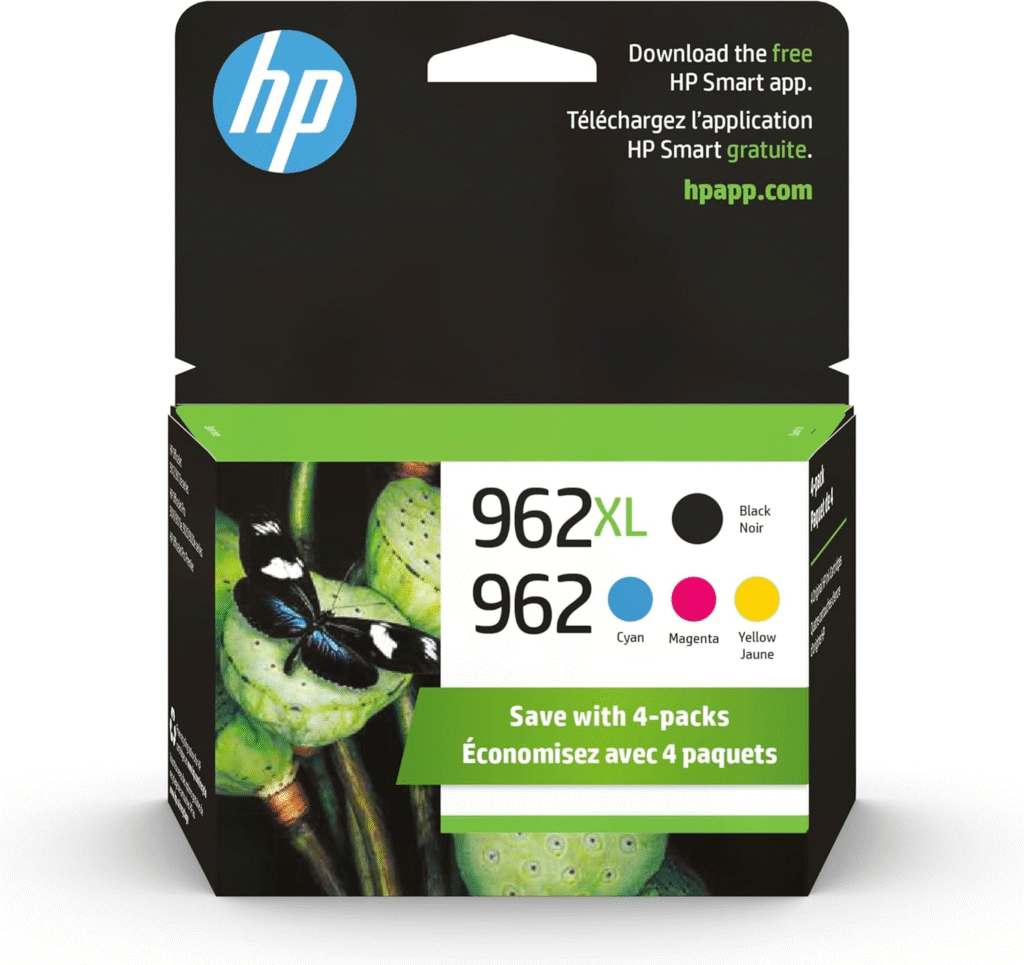
- Original HP 962 Cyan
- Original HP 962 Magenta
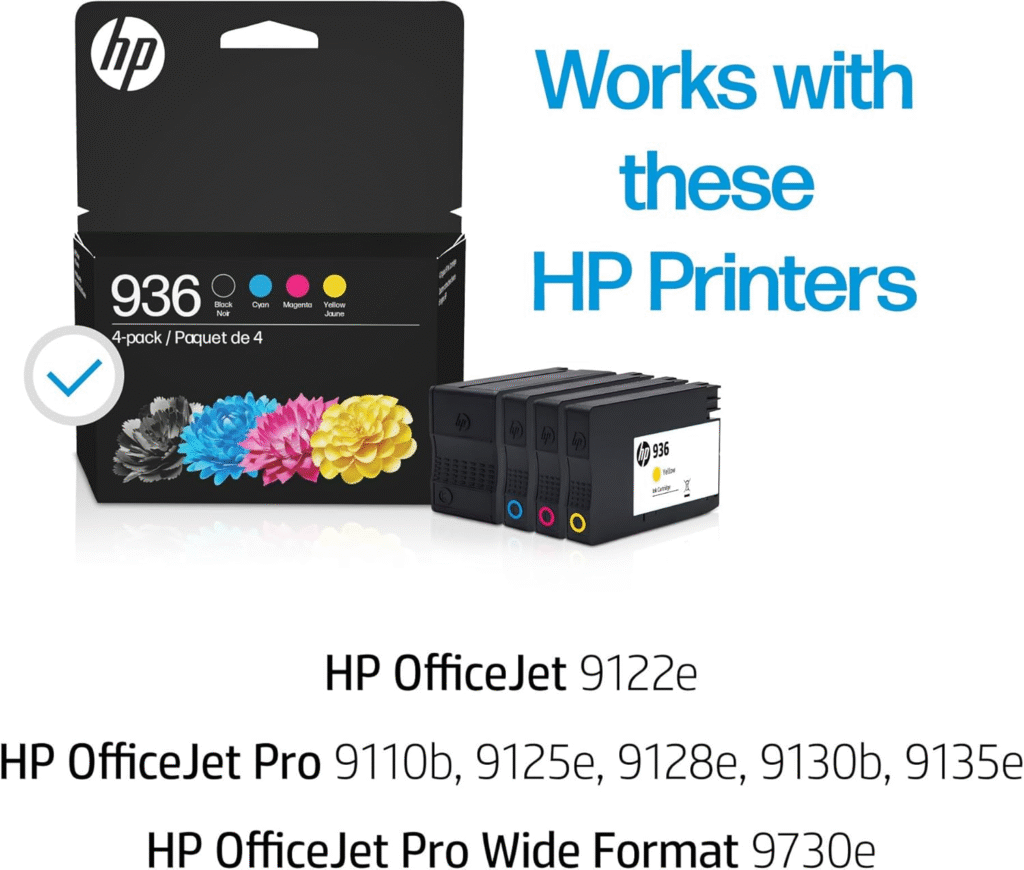
- HP 936 Black
- HP 936 Cyan
- HP 936 Magenta
I include both color and black options because many users need dependable black for text-heavy prints and accurate colors for graphics or photos.
Who should pick which cartridge?
Home users
If you print occasionally — recipes, school projects, family photos — go for cartridges that balance quality and cost. The HP 936 series (Black, Cyan, Magenta) is a solid all-rounder: sharp black text and balanced colors for casual photos and craft projects.
Small offices / home offices
For regular printing, especially if you produce client-ready documents or colored reports, the Original HP 962 (Cyan and Magenta) gives more reliable color consistency and smoother gradients. Pair them with a genuine HP black cartridge recommended for your printer model to get professional-looking documents every time.
Short product notes (what to expect)
Original HP 962 Cyan & Original HP 962 Magenta
- Made by HP for specific HP printers — you get consistent, accurate color matching when printing graphics and charts.
- Good for users who print branded materials, presentations, or any task where color fidelity matters.
- Typically designed to work smoothly with the printer’s color-management system, reducing the chance of color shifting or banding.
HP 936 Black, HP 936 Cyan, HP 936 Magenta
- Reliable for everyday printing: crisp blacks for text, decent color reproduction for photos and documents.
- Often used in household and small office printers that prioritize balanced cost-performance.
- A practical choice if you want dependable text quality plus acceptable color performance without spending extra on high-capacity photo inks.
Practical tips for buying and using cartridges
1. Always check compatibility
Cartridge names (like 936 or 962) must match what your printer manual or HP’s compatibility list shows. Using the wrong number can cause errors or poor performance.
2. Prefer original (OEM) cartridges for reliability
Original HP cartridges generally give better print quality and fewer printer warnings than third-party or refilled inks. They also often include anti-clog features so you get consistent results.
3. Store cartridges properly
Keep unused cartridges in a cool, dry place and in their original packaging until you need them. This extends shelf life and prevents the ink from drying out.
4. Replace color cartridges when faded prints appear
If colors are uneven or washed out, replace the affected color cartridge rather than running a full maintenance cycle repeatedly — that wastes ink.
5. Keep spare black for heavy text printing
If your work is text-heavy (invoices, contracts), having a spare HP 936 Black on hand prevents downtime.
Installation basics (quick how-to)
- Turn on the printer and open the cartridge access door.
- Wait for the carriage to stop moving.
- Remove the old cartridge by gently pressing and pulling it out.
- Unpack the new cartridge, remove protective tape — do not touch the copper contacts or nozzles.
- Insert the cartridge into the correct slot until it clicks.
- Close the access door and follow any on-screen prompts to align cartridges (if your printer asks).
Alignment after installation improves print sharpness and color placement.
Saving money without sacrificing quality
- Buy multipacks when you use all colors equally — they’re often cheaper per-cartridge.
- Consider high-capacity options if you print a lot; they lower cost per page.
- Use draft mode for internal documents to save ink; switch to normal or best when printing final copies.
- Recycle old cartridges using HP’s recycling program to get free returns and feel better about waste.
Common FAQs
Q: Can I mix Original HP and third-party cartridges?
A: Technically yes in some printers, but mixing can trigger error messages or inconsistent prints. For trouble-free results, stick to original HP cartridges.
Q: How do I know when a cartridge is low?
A: Most HP printers show ink levels on the display or in the printer software on your computer. When color shifts or print density drops, that’s also a sign to replace the cartridge.
Q: Are cartridges interchangeable between models?
A: No — cartridge numbers are model-specific. Always check your printer’s manual.
Final recommendation
For everyday home printing, the HP 936 trio (Black, Cyan, Magenta) is a dependable, cost-aware choice that covers text and casual color needs. For home offices or small businesses that need more accurate, consistent color — for client materials or presentations — add the Original HP 962 Cyan and Original HP 962 Magenta to your shopping list. Using genuine HP cartridges gives the best balance of print quality, reliability, and hassle-free performance.
Choose based on what you print most: heavy text => prioritize HP 936 Black; color-critical work => prioritize Original HP 962 colors. Either way, proper storage, timely replacement, and buying the right capacity will keep prints looking great and your workflow smooth.